Start Here
Welcome to CheeseWeb.eu! We’re honoured to have you as part of our slow travel community.
We believe every destination has a story to tell and that the journey truly is the destination.
Our mission is to uncover the unexpected, the unexplored, the underrated – in essence, the hidden gems in our world. Whether we find those hidden gems in bustling international cities, or tiny rural villages, we want to hear their stories and share them with the world.
CheeseWeb.eu has been at home on the web for more than 13 years, so as you can imagine we’ve built up hundreds of articles on destinations around the world – particularly in Belgium, Germany, France, and Canada.
If it’s your first time here, we know all of the information can be overwhelming, so we’ve created this page, with some of our very best resources, to get you started.
Step One: Get to Know Us
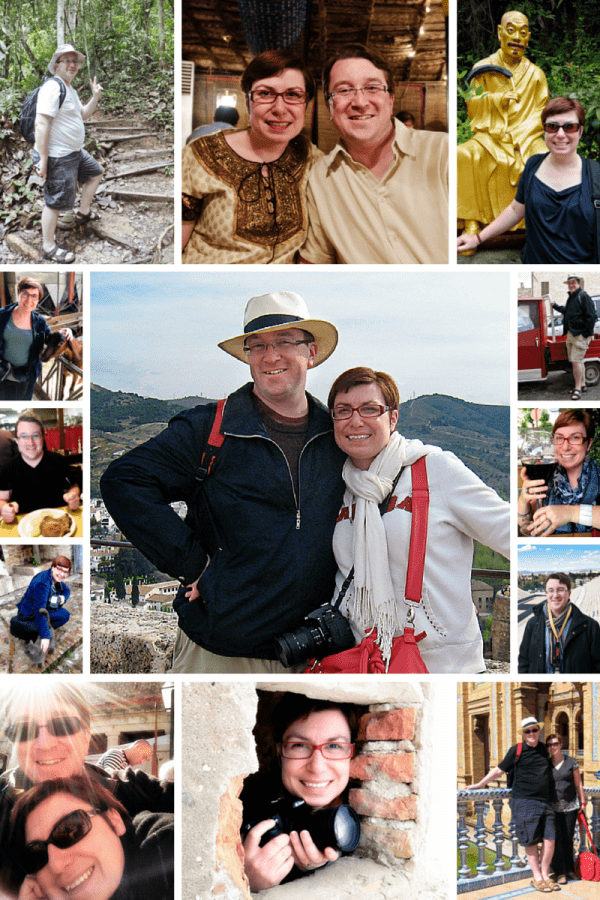
Get to Know Andrew and Alison of CheeseWeb.eu
If you’re wondering about the people behind CheeseWeb.eu, be sure to check out our about page to read our story and learn our philosophy of Slow Travel and Slow Living. Then, drop us a note and introduce yourself. We love hearing from our readers.
Step Two: Be Part of the Community
CheeseWeb.eu updates frequently, so we’ve adopted a number of ways to keep you up-to-date with what is happening.
First, subscribe to our newsletter packed with slow travel inspiration for exploring the hidden corners of the globe. (Plus, you’ll also get a behind the scenes look at our lives as we slow travel around Canada in our motorhome, Yeti, with 2 cats onboard.)
We’ll also send you our ebook on our Top 7 Slow Travel Destinations in France. (You won’t find most of these tips in your guidebook!) Your email address will never be shared and you can unsubscribe at the touch of a button.
We post current events, breaking news and links to things we love on our Facebook Page. We have a community of over 13,500 amazing people there and we’d love you to be a part of it.
We love great visuals, so of course, Pinterest is a great source of inspiration. We have created boards for every country in Europe, our favourite hotels, UNESCO sites around the world, and much more.
Visit CheeseWeb.eu – Expat Life in Brussels, Belgium’s profile on Pinterest.
If you want to see what we’re up to day-to-day, you’ll also find us on Instagram. (Just don’t go there on an empty stomach!)
We also do our best to share videos of our experiences. Follow us on YouTube to be notified when we upload new videos.
We try to answer every email we receive so if there’s something you want to tell us, good, bad or ugly – Let us know! We will answer your questions to the best of our ability – just be patient as there’s only two of us.
Step Three: Indulge Your Passion for Slow Travel
We travel slow – because everywhere is somewhere.
For us, the beauty of slow travel is the connection we make along the way – to people, to food, to nature, to culture and to history. It’s hard to make a deep, lasting connection when you’re running to the next destination. So, we slow down. We set aside our checklists. We let the destination speak to us. It’s these stories you’ll find on CheeseWeb.eu.
There are over 900 articles on CheeseWeb – You have a lot of reading to catch up on! Ok, ok – If you want a shortcut, here are some of our most popular posts:
CheeseWeb’s Best of the Best:
- A Love Letter to Belgium
- Where to Stay in Brussels, Belgium – Our Top 30 Hotels
- Why I won’t let fear and terrorism stop me from visiting Brussels (or anywhere else)
- Belgium’s 12 Most Magical Castles
- 7 Ways to Travel When You Can’t Leave Home
- The Ultimate Guide to New Brunswick, Canada
- 8 Ways to Slow Travel and Why You Should
- The Dolomites and Tiefentalhof, South Tyrol, Italy
- CheeseWeb’s Travel Guide to French Guiana
- Our Top 10 Foodie Destinations in Munich, Germany
- Porto, Portugal – A 3-Day Travel Itinerary
- The Ultimate List of 24 Awesome Day Trips from Stuttgart, Germany
Our Top Resources for Travellers:
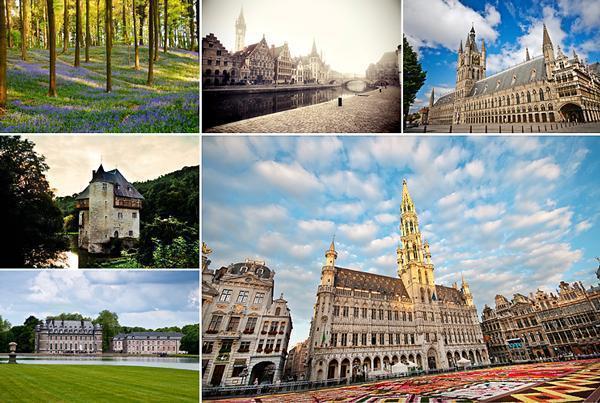
Explore Belgium with CheeseWeb
We began our European life in Belgium and lived in the EU capital for 10 years. Naturally, we’ve amassed a vast number of articles on living in and exploring Belgium. We’ve created a number of resources to get you started.
- List & Map of Castles in Belgium
- International Food Shops in Brussels, Belgium
- Guide to Belgian Beer and Breweries in Belgium
- Military Memorial Tourism in Belgium
- Christmas Markets in Belgium and Europe
Alison has also put her passion for Belgium into print. Check out the Beautiful Belgium Photography book for stunning photos of this unique country and foodies shouldn’t miss the Foodie Guide to Brussels. It’s guaranteed to make your mouth water!
We have also written extensively about living abroad in general and expat life in Belgium. You can find these articles on our Resources for Expats page.
Although Belgium was our home for a decade, we have travelled extensively throughout Europe and beyond. While, currently, our travels are primarily in a motorhome, we’ve racked up a lot of hotel stays over the years. Find our favourites on our Hotel Reviews page.
We believe the quickest way to connect with a place is to explore its food culture. We love both cooking at home and dining out. We’ve reviewed dozens of restaurants in Belgium and beyond over the years. You can find them all on our Restaurant Reviews Page.
We are also history buffs and one of our favourite things to do is explore castles – from ornate palaces to crumbling ruins. You can find all of our castle articles on our Castles in Europe Page.
Slow Travel in Europe
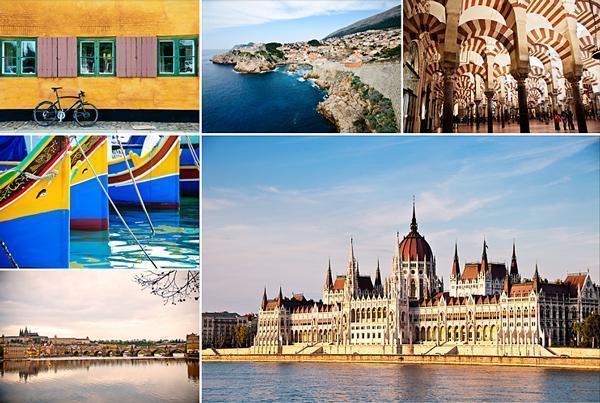
Travel Europe with CheeseWeb
We hate playing favourites when it comes to travel destinations. We can find something special about every place we visit. We will admit to having a few favourite stories about our European travels, though.
- CheeseWeb’s Ultimate Travel Guide & Itinerary to Nord-Pas-de-Calais, France – A beautiful, underrated corner of France
- Exploring Bavarian Tradition in Munich, Germany – Surprising twists on tradition in modern Germany
- Discovering South Tyrol, Italy (Series) – One of the most beautiful regions we’ve discovered yet
- 9 Foodie Finds in Lille, France – Exploring Lille through food and drink.
- Top 12 Restaurants in Oia, Santorini, Greece – Greece is beautiful and delicious
- Exploring Umbria (series) – We uncover the sights and tastes of this beautiful region of Italy
- The Budget Guide to Copenhagen, Denmark – How to keep costs down in the Danish capital
- My Late-Blooming Love Affair with Paris – Why I didn’t immediately love the City of Lights
- Discovering Croatia and Bosnia-Herzegovina – A long-weekend in Dubrovnik leads to wonderful discoveries
- 6 Things I Miss About Amsterdam – From our first home in Europe
- Our 5 Favourite Cities in France – Visit one or all of them
- Our 10 Favourite Beautiful Villages in France – Les Plus Beaux Villages – Good things come in small packages
- Carolus Spa in Aachen, Germany – Our favourite European Spa
- The Eden Project, Cornwall, England – An indoor tropical rainforest
- Touring Hungary’s Danube Bend – A beautiful day trip from Budapest
- Timisoara, Romania – A Budget and Family-Friendly Destination – Romantic Romania is perfect for all ages
- The Alhambra and Generalife of Granada, Spain in Photos – We travelled all over Andalusia and this was a favourite stop
- The Ultimate French Foodie Weekend in Paris, France – Eat your way through the City of Lights
- 25 Facts about Keukenhof Gardens and Tulips, in the Netherlands – Everything you ever wanted to know about the world’s most beautiful tulip garden
- Top 10 War Memorials for Canadians in Europe – Commemorating Canadian sacrifice in Europe
Slow Travel Beyond Europe
As much as we love Europe, we want to explore every single corner of the globe. (We have a long way to go!) Here are some of our favourite stories from North America, Asia, and Africa.
- Discovering French Guiana (Series) – Alison got a tatse of Europe in South Ameria
- 14 Ways Egypt Surprised Me – Alison wasn’t expecting to be blown away by Egypt.
- CheeseWeb’s Asian Adventure (Series) – We visited Malaysian Borneo and Hong Kong in 2013
- Rediscovering Canada – Since we’ve returned to Canada we’re thrilled to be rediscovering this incredible country
- Incredible India (Series) – We learned so much on our first visit to India.